
Professional distribution · Morocco
Technical support

PROJECT WORKSHEETS / FIELD TOOLS

Rack & patching schedule

Trace each outlet to its panel and active port. Connect labels, rack constraints and test evidence.

ANATOMY / NETWORK RACK

One rack. Different roles.

Select an element to understand its function and what to record.
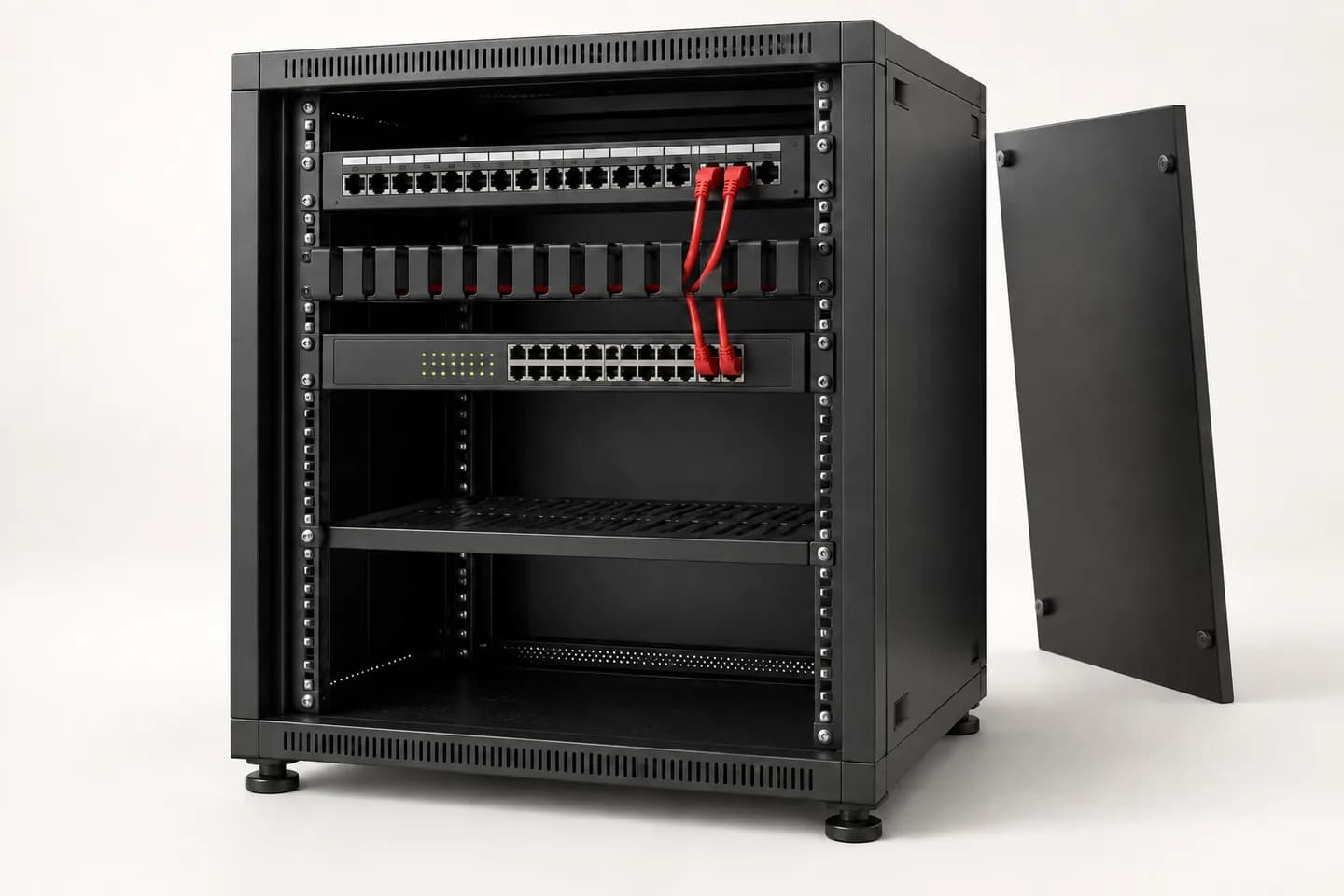
Generic network rack with a passive top panel, cable manager, switch and lower shelf. Two red patch leads connect panel to switch.
AI-generated illustration · generic equipment, illustrative only. Explanatory markers, not a wiring plan or a 3D model.

From identifier to evidence.

Panel, patch lead, switch and rack answer different questions. Explore the four roles, then record the identifiers and unknowns in your project brief.

Complete worksheet

Draft in this tab only. Nothing is sent or saved to your account. Export before leaving. Do not enter passwords, access codes, personal information or sensitive plans.

Activating the interactive worksheet… The blank PDF remains available.

Project context

Use a non-confidential project name. Separate site observations from information still to verify.

Project context

E.g. Office A / refurbishment / before survey.

To complete

Visit, drawing revision, authorised photos or assumptions; do not attach documents here.

To complete

What needs to work, for which uses, and what is outside scope.

To complete

A link, its endpoints and its evidence

Separate planned, observed and tested. Use matching identifiers on the drawing, panel and test report; mark inactive ports.

Link 1
To complete

Rack/panel IDs, port and documented U position; separate spare capacity from terminated points.

To complete

Exact switch and port, use/VLAN to confirm, planned or observed activation and PoE need. No network secrets.

To complete

Copper/fibre, documented category/type, endpoints, route and measured or estimated length. Mark unknowns.

To complete

References and lengths to confirm, connected ports, cable managers and labels; connector shape alone does not prove compatibility.

To complete

Occupied/reserved U, depth with cables, rails, weight, ventilation, sockets and backup for responsible-party review.

To complete

Report ID, date, tested scope and result or “untested”; current drawing/patching, issue and responsible role.

To complete

Resolve before selection

A filled field is not approval. Keep unknowns and decisions in the technical brief.

Resolve before selection

Record outstanding checks and the role responsible for them.

To complete

Marked plans, exact datasheets, diagrams and project requirements. No secrets or access keys.

To complete

Which role must confirm what, before which stage? Use a role, not a personal name.

To complete

Reading references

General principles and manufacturer examples, not approval of selected products. Verify each exact reference separately.

Fluke Networks · Document Cabling Certification with LinkWare PC and LinkWareLiveSchneider Electric · Maximum equipment and cable mounting depth for NetShelter WX

Continue your preparation

Read the related guideUnderstand the systemOpen my projects

This worksheet does not create a project. An approved account can prepare a separate request in the professional workspace.