
01
Start with the meeting you want to run.
Hybrid meetings, local presentations and moderated conferences have different needs. Record who brings a computer, joins remotely, shares a screen and grants speaking time. Distinguish a dedicated room computer from a temporarily connected personal laptop: startup, accounts and update ownership differ.
The survey must describe the actual room: participant positions, reflective surfaces, ventilation and intermittent noise. Acoustic assessment and a remote test call answer different questions: what people hear locally and what the other end receives. A processor does not remove the need to assess the room.
02
Trace outgoing speech, then incoming audio.
Draw local pickup, incoming meeting audio and user controls separately. A shared interface does not make their roles identical.
01 · Pickup
Match speaking positions to planned microphones. Record movement, orientation and furniture; do not infer coverage from seat count alone.
02 · Audio processing
AEC addresses loudspeaker audio picked up by microphones and returned to the remote participant. Its reference must match the reproduced signal. Automatic mixing, noise reduction and permission to speak remain distinct functions.
03 · Meeting host device
Identify the computer or dedicated appliance, interface and application. Verify actual microphone, speaker and camera selection in the chosen application.
04 · Listening and image
Define displays, camera and speakers for each position. Plan content readability and framing; a powered display does not establish correct source routing.
05 · Session controls
Requesting to speak is not opening a microphone. If moderation is needed, define pending, granted, denied and priority states. Also provide visible mute, end-call and reset behaviour.
03
Decisions that genuinely change usability.
Scroll the table horizontally to compare all three columns.
| Topic | Need to express | Point to verify |
|---|---|---|
| Dedicated or guest host | Room starts independently or uses the presenter’s laptop. | Accounts, licences, updates, permitted computers and connection journey. |
| Table or ceiling | Furniture mobility, speaking positions and visual discretion. | Tests at critical seats and noise at the pickup location, not only at seat level. |
| Speaking control | Open conversation or requests managed by a moderator. | Documented queue, participant feedback, priorities and denial behaviour. |
| Computer connection | Video, peripheral data and any power delivery. | Verify these functions separately on the exact port, cable and interface; USB-C shape is insufficient. |
| Operation | Who configures the room and who uses everyday controls? | Separate access, startup guide and recovery after an operator mistake. |
04
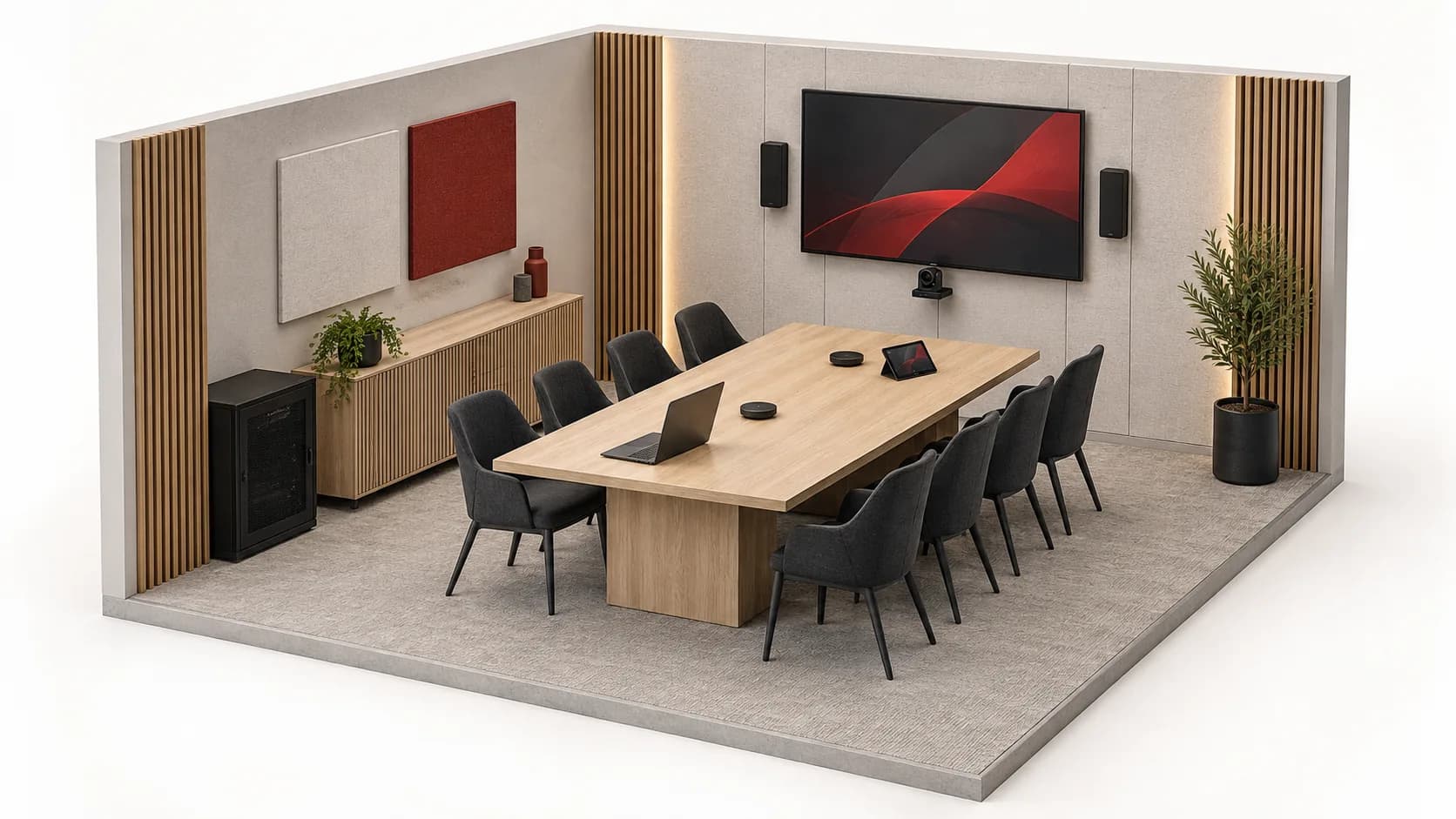
Example: eight people in the room, one remotely.
ILLUSTRATIVE EXAMPLE
A fictional acceptance-test brief, not a client project or certified configuration. Participant count dictates no reference or microphone quantity.
Start with actual use cases
The presenter connects a computer included in the brief, selects verified peripherals and joins a test call. The remote participant checks speech from several seats; the local team checks listening and shared-content readability.
Verify actions separately
Mute the microphone and ask the remote participant to confirm no speech is transmitted, without confusing this with stopping the camera. If moderation is selected, test pending, granted and denied requests: the indicator must match the actual microphone state.
End, then start again
End the call, disconnect the guest computer and check the intended display and control reset. Repeat startup with another permitted computer. Record defects, tested versions and handover instructions instead of relying on a single successful call.
These tests validate neither every platform nor every network condition. Moderation, recording or transcription is included only when explicitly scoped and verified.
05
Six questions before the equipment list.
Which meeting and seats?
Plan, dimensions, fixed or movable furniture, presenter and remote participants. Describe usual layouts, not only maximum seating.
What noise and visual constraints?
Ventilation, outside noise, observed reverberation, lighting and display sightlines. Attach photos and identify what needs measuring.
Which computers and applications?
Permitted computers, operating systems, ports, application and account owner. Separate supplied equipment from required subscriptions.
Who speaks and who decides?
Open conversation, request queue or chair priority. Define indicator meanings, who can mute and how to restore normal operation.
Which links and responsibilities?
Routes, power, network and AV interfaces. Name IT, AV and building owners so no dependency is left unassigned.
Which test establishes acceptance?
Local and remote scenario, tested computers, content sharing, mute and recovery. Include a non-technical operator, user guide and outstanding issues.
06
A complete proposal makes dependencies visible.
An Inovexia enquiry supports selection and supply. Separately specify agreed acoustic assessment, installation, configuration, licences, network and support. A platform brand is not proof that the assembled system is certified. Any recording or transcription needs explicit scope: this page enables neither and confirms no retention policy or recording permission.
07
Points to clarify before approval.
Does AEC fix a reverberant room?
It does not replace room treatment. Its role concerns audio returning to the remote participant; local acoustics, noise and microphone placement also need assessment.
Does a ceiling microphone automatically cover the whole table?
No. Verify geometry, speaking positions, sound environment and model limits. Tests must include difficult seats, not only the nearest one.
Does automatic mixing replace a moderator?
No. Processing multiple signals does not decide permission to speak. Specify queues or priorities explicitly and verify request and permission states.
Is one USB-C cable enough for everything?
Not without checking the exact combination. Confirm video, peripheral data and power separately, then test permitted computers and adapters.
Does stated compatibility certify the room?
No. Request documentation for the proposed references and versions. A successful test of one configuration does not certify every combination or platform.
Technical sources
External reading references. These documents explain principles; they do not certify catalogue products or their combination.
- MXCW User Guide — Meeting controlsShure · Sources consulted on
- Per-channel AEC referencingBiamp · Sources consulted on
- Commissioning a Tesira Conference RoomBiamp · Sources consulted on