
01
A local picture is not a successful meeting.
Start with situations: local presentation, hybrid discussion, video-based training and a standing presenter. For each, specify who must see what and hear whom. Add occupied seats, speaking positions and desired behaviour when people speak together. This avoids selecting a camera before discovering that intelligibility at the back was the main need.
Assess room noise and reverberation before relying on digital processing. Acoustic echo cancellation, or AEC, uses a playback reference to reduce its return to the remote party; that reference must not contain the microphone being processed. Have the design qualified instead of promising that a software setting fixes every room.
02
Draw four separate paths.
Each row represents a separate path to complete with proposed references. This working outline is not a wiring plan.
Speech to the remote party
Person → microphone → processing → meeting interface → remote party. Mark where speech is muted and where its absence is confirmed remotely.
Playback into the room
Remote party → meeting interface → processing → amplification → speakers. Keep this separate from microphone transmission: hearing does not prove being heard.
Participant image
People → camera → interface → remote party. Record framing for useful seats, not only camera resolution. Local preview and remote image are separate observations.
Shared content
Computer → selection/sharing → local screen and remote recipient. Also identify video-program audio and destinations that must not receive it.
03
Choose the operating mode before interfaces.
Scroll the table horizontally to compare all three columns.
| Required mode | Decision to document | Planned verification |
|---|---|---|
| Visitor laptop | Permitted systems, adapters, audio/video interface and laptop owner. | Correct device selection and behaviour after disconnect/reconnect. |
| Dedicated room system | Account, management, network, any licences and update ownership. | Start-up and required functions without leaving a personal account open. |
| Local presentation only | Picture and sound without starting a call or unnecessarily enabling a camera. | Correct destination and clear local-mode indication. |
| Divisible room | Partition positions, microphone groups, screens and listening zones. | No transmission into the neighbouring meeting when spaces are separate. |
04
A brief that prevents missing accessories.
Room and positions
Include a dimensioned plan, furniture, glazing, openings and known noise. Mark screen, table, presenter and possible camera positions. Identify immovable items. Retain acoustic assessment as an explicit task when missing.
One line per interface
Record model, version, input, output, required function and proposed cable/adapter for every device. Include length, route, power and mounting. Request explicit function support; a connector fitting a socket is not that evidence.
Control and privacy
Describe visible actions: start, share, select a source, adjust level, mute and end. Separate user and administrator permissions. Agree camera/microphone indications and session termination without enabling recording by default.
05
Three observations. Three separate conclusions.
ILLUSTRATIVE EXAMPLE
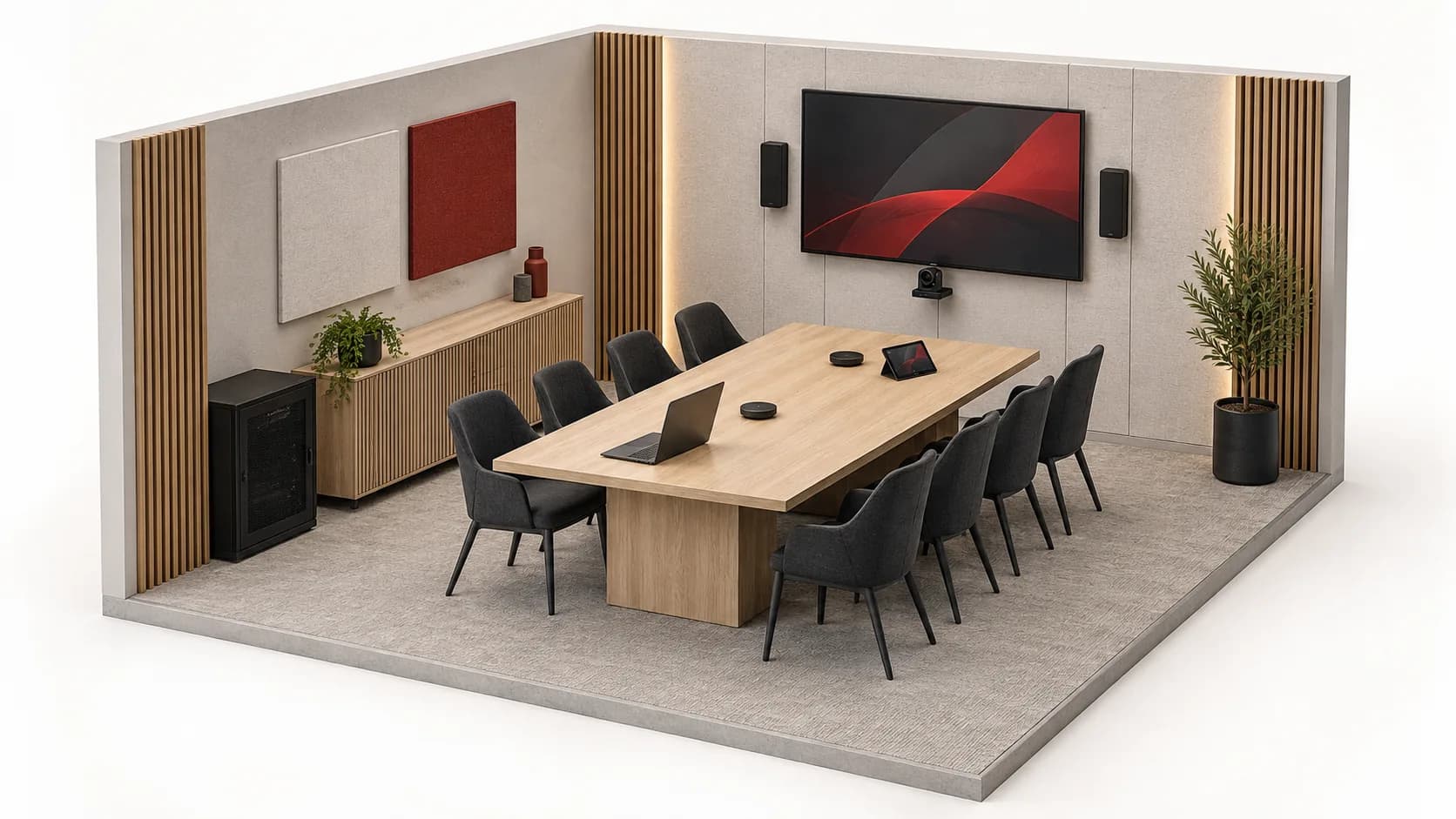
Fictional case: an eight-seat room shares a presentation containing video with an authorised remote participant. This report teaches result classification; it does not describe a client installation.
Content arrives without audio
Slides are visible locally and remotely, but the remote participant cannot hear the video. Shared picture passes; program audio fails. Record selected source and observed destination instead of passing the meeting because the screen is on.
The room hears; the remote party hears echo
Remote speech is audible in the room; the remote party then hears their own voice returning. Speaker playback and remote-send quality are separate results. Have the affected path diagnosed; replacing the camera is not a conclusion supported by this observation.
The mute icon is not enough
The mute indicator turns on, but the remote participant still hears the room. Requested muting fails. Keep the result unaccepted until correction and a fresh remote-side check. Turning off local speakers does not prove microphone transmission has stopped.
Fictional observations with no real call, recording or equipment change. They do not alone determine a fault’s cause or certify a platform.
06
One acceptance sheet per use case.
Conditions and results
Record version, device, speaking position, source, recipient and room mode. Separate local speech, remote playback, camera, sharing and program audio results. Include an authorised remote participant’s observations; one technician in the room does not observe both ends.
Everyday actions and handover
Plan mute/unmute, source changes, laptop reconnection and session end. Hand over short operating instructions, cable labels, configuration version and owner. Keep exceptions named with an owner and a repeat check.
07
What Inovexia can prepare from the brief.
Submit the plan, use modes, interface schedule, constraints and unconfirmed functions. The quotation enquiry can then separate core equipment, power, cables, adapters, mounts and options. Identify the integrator responsible for design and commissioning. Product selection or a commercial reply does not replace function validation on your exact configuration.
08
Questions that change the selection.
Is an all-in-one bar enough?
It is an architecture to assess, not a universal answer. Compare documented functions with seats, distances, acoustics, meeting modes and connection needs. A simple room may need fewer separate components without removing these checks.
Can existing speakers be retained?
Record references, condition, positions and amplification. Have suitability for speech and the proposed chain checked. Presence in the ceiling alone says nothing about useful coverage or possible connection.
Does certification cover the entire room?
Ask which product, version, platform and function a specific piece of evidence covers. Do not extend it to every adapter or the complete installation. Site tests remain necessary.
Why test with a remote participant?
Local preview does not show what the other end receives. Their observation helps assess received framing, sharing, intelligibility and actual muting, with consent and non-confidential test content.
Should equipment be bought before surveying interfaces?
Survey first. A precise list of computers, functions, routes and unknowns makes the proposal more useful. Explicitly flag items needing a test or manufacturer confirmation before final selection.
Technical sources
External reading references. These documents explain principles; they do not certify catalogue products or their combination.
- Per-channel AEC referencingBiamp · Sources consulted on
- Commissioning a Tesira Conference RoomBiamp · Sources consulted on