
Prepare my site brief: worksheet and printable PDF
01
A zone is not a speaker count.
Start by writing what each user must do. Two spaces may share one programme with separate volume controls; others may need different sources simultaneously. Have these distinct functions confirmed in the offer. Multiple outputs alone do not establish independent source selection.
Create a brief for each space: activity, hours, usual noise, listener positions and authorised operator. State whether the purpose is quiet ambience, intelligible speech or focused listening. A terrace and an enclosed room need different briefs; also document exposure, supports and maintenance access.
AUDIO EXPERIENCE · SILENT SIMULATION
Two spaces. A programme for each.
Separate the zones, then choose Presentation in the meeting room. Reception keeps its background programme.
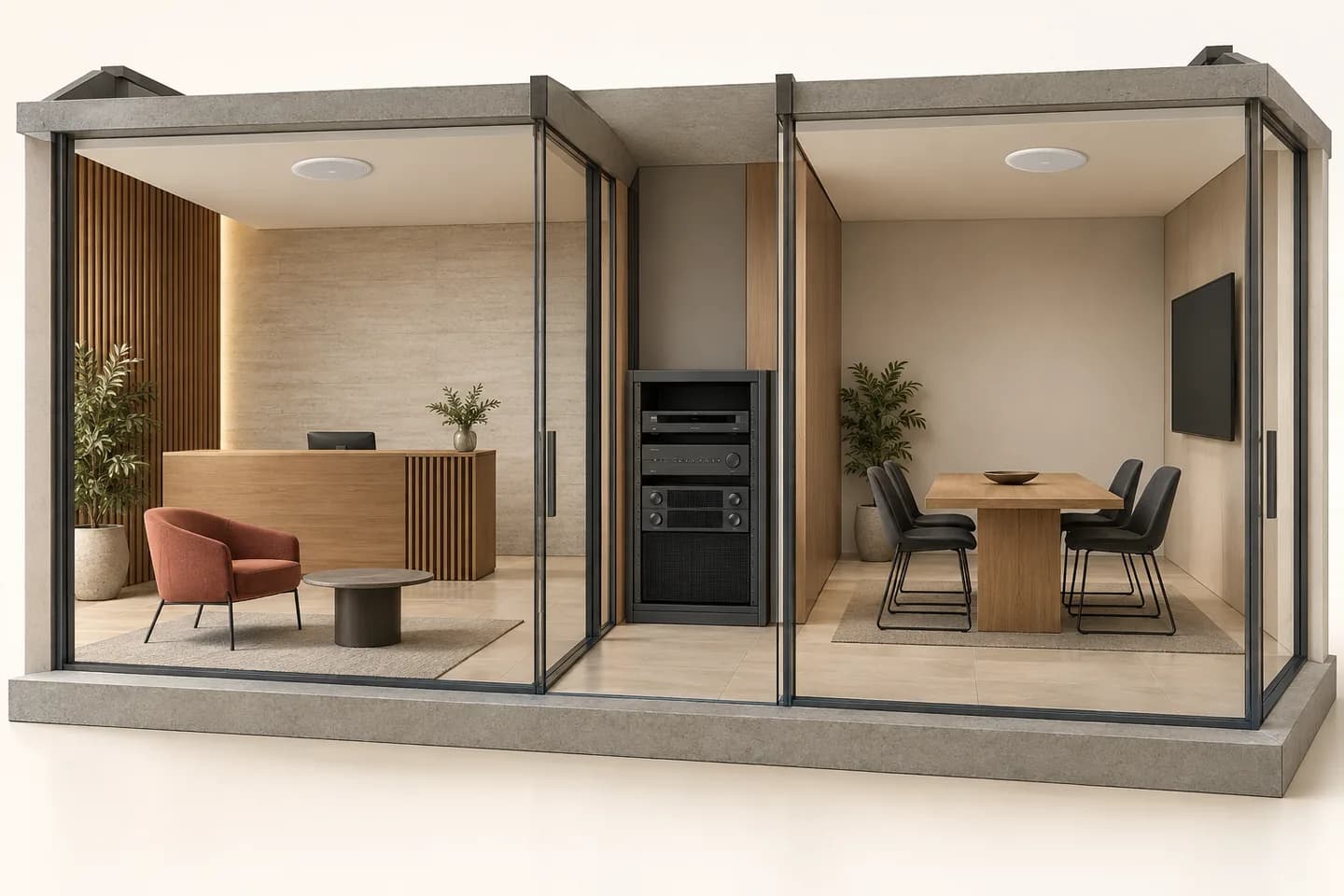
Linked programmes. Changing a programme affects both zones. Muting one zone does not affect the other.
Reception: Signal delivered · Background. Meeting: Signal delivered · Background. Linked programmes.
- Sources
- Zone matrix
- Amplification
- Speakers
What your project needs
This example assumes two sources, a routing matrix and two independently controlled outputs. These functions may be combined or separate, depending on equipment; two outputs alone do not prove independent source selection.
Inovexia supplies references to compare. Confirm interfaces, controls, speaker loads, cabling and content rights. Suggested products are not a validated kit. This demonstration is not a voice-evacuation system.
Functional paths · solid: signal delivered; dashed: muted output or amplification off. These are not cable routes.
AI-generated concept · generic equipment. Interactive illustration, not a 3D model or completed installation. No real equipment is controlled and no sound is played.
02
From programme to speaker: connect five roles.
This path describes functions, not a compatible kit. Record reference, interface and intended setting for each link; a readable diagram makes offers easier to compare.
01 · Source
Player, paging microphone or another planned input: identify signal, account owner and network needs. Separate available content, usage permission and supplied equipment.
02 · Selection and processing
Assign sources to zones and describe ordinary paging priorities. Check what remains audible when a zone is muted, without treating this as a safety-alert function.
03 · Amplification
Identify channels and output modes. For a transformer-coupled line, establish each output’s load from selected speaker taps, then apply the exact manual’s limits.
04 · Speakers
Mark each speaker, support and connection on the plan. Assess placement at listening positions; available ceiling space is not automatically the right location.
05 · Controls and handover
Clearly name zones and actions: source, volume, mute and return to the intended setting. Prepare a short operator guide and retain a reproducible reference state.
03
Compare uses, then architectures.
Scroll the table horizontally to compare all three columns.
| Question | Decision to make | Evidence to obtain |
|---|---|---|
| Same music everywhere? | Independent volume or genuinely independent programmes. | Source-to-zone map and a single-zone mute test. |
| Outputs and speakers | Low impedance, 70/100 V line or powered speakers according to the documented system. | Compatible mode, per-channel load, power supplies and manual; similar connectors do not justify mixing modes. |
| Ordinary paging | Target zones, priority and music restoration. | Written behaviour with local mute or another source active. |
| Placement | Recessed, wall-mounted or suspended; indoors or outdoor exposure. | Supports, permitted environment and on-site listening, without invented acoustic reach. |
| Operation | Local staff, technical owner and any remote access. | Permissions, protected settings, Internet dependency and separately charged items. |
04
Example: a restaurant dining room and reception.
ILLUSTRATIVE EXAMPLE
A fictional two-zone case. Speaker counts and taps below explain a survey; they neither size your premises nor recommend a reference.
Separate the two loads
Dining: 6 speakers with hypothetical 6 W taps, totalling 36 W. Reception: 4 × 3 W, totalling 12 W. These loads remain separate for independent outputs; their sum is not an amplifier rating to purchase.
Write the operator test
Request programme A in dining and B at reception. Then mute reception only: dining must retain its source and level. Restore the initial state and test ordinary paging only in the planned zones.
Turn the survey into an enquiry
Attach the plan, proposed references, cable routes and per-output loads. Ask the supplier to confirm modes, limits, headroom and accessories against the manuals. Assess sound and controls on site before acceptance.
This calculation predicts neither perceived loudness nor intelligibility. It establishes no compatibility between particular speakers, amplifiers or controllers.
05
Six questions for an actionable quotation.
Which activities in which zones?
Dimensioned plan, uses, hours and typical occupancy. Include movable partitions and spaces whose purpose may change.
Which simultaneous programmes?
List sources and destinations; specify independent volume, selection and mute. Describe restoration after paging.
What listening constraints?
Operating noise, reverberant surfaces, key positions and neighbours. Identify observations needed on site without setting an arbitrary level.
Which equipment stays?
Label photos, references, condition and manuals for speakers, amplifiers and controls. Do not assume reuse before verification.
Which access and routes are available?
Supports, suspended ceilings, cable routes, power and rack. State site constraints and who approves mounting and connections.
Who accepts and operates it?
Define tests, requested training, control guide and handed-over settings. Separate equipment, installation, content and subscriptions in the offer.
06
What equipment supply does not imply.
Inovexia acts here as a distributor: prepare functions and references for enquiry, then distinguish supply from agreed design, installation and tuning services. Streaming accounts, content rights, networking and any maintenance require separate clarification. Commercial paging is not an evacuation function; safety requirements need a specific scope and validation.
07
Questions that prevent an incomplete selection.
Do ten speakers mean ten zones?
No. Define the independent actions needed, then verify outputs, routing and controls. Several speakers may belong to one operating zone.
Do watts indicate covered floor area?
Not alone. Placement, acoustics, noise and listening purpose matter. Load assessment supports electrical selection; it does not replace acoustic assessment.
Can existing speakers be kept?
Confirm after identifying models, modes and condition. Request an assessment based on manuals and the survey; a working speaker is not automatically suitable for the new system.
Can a volume control select different music?
Only if that function and connection are documented. Specify level, source selection and mute separately, then demonstrate each action.
Does the player include content and public-use rights?
Do not infer this from the hardware. Clarify content, accounts, licences and responsibilities in the enquiry. This brief confirms no particular distribution right.
Technical sources
External reading references. These documents explain principles; they do not certify catalogue products or their combination.
- FreeSpace IZA 2120-HZ — Integrated zone amplifierBose Professional · Sources consulted on
- PC-D / PC-DI Owner’s Manual — ConnectionsYamaha · Sources consulted on