
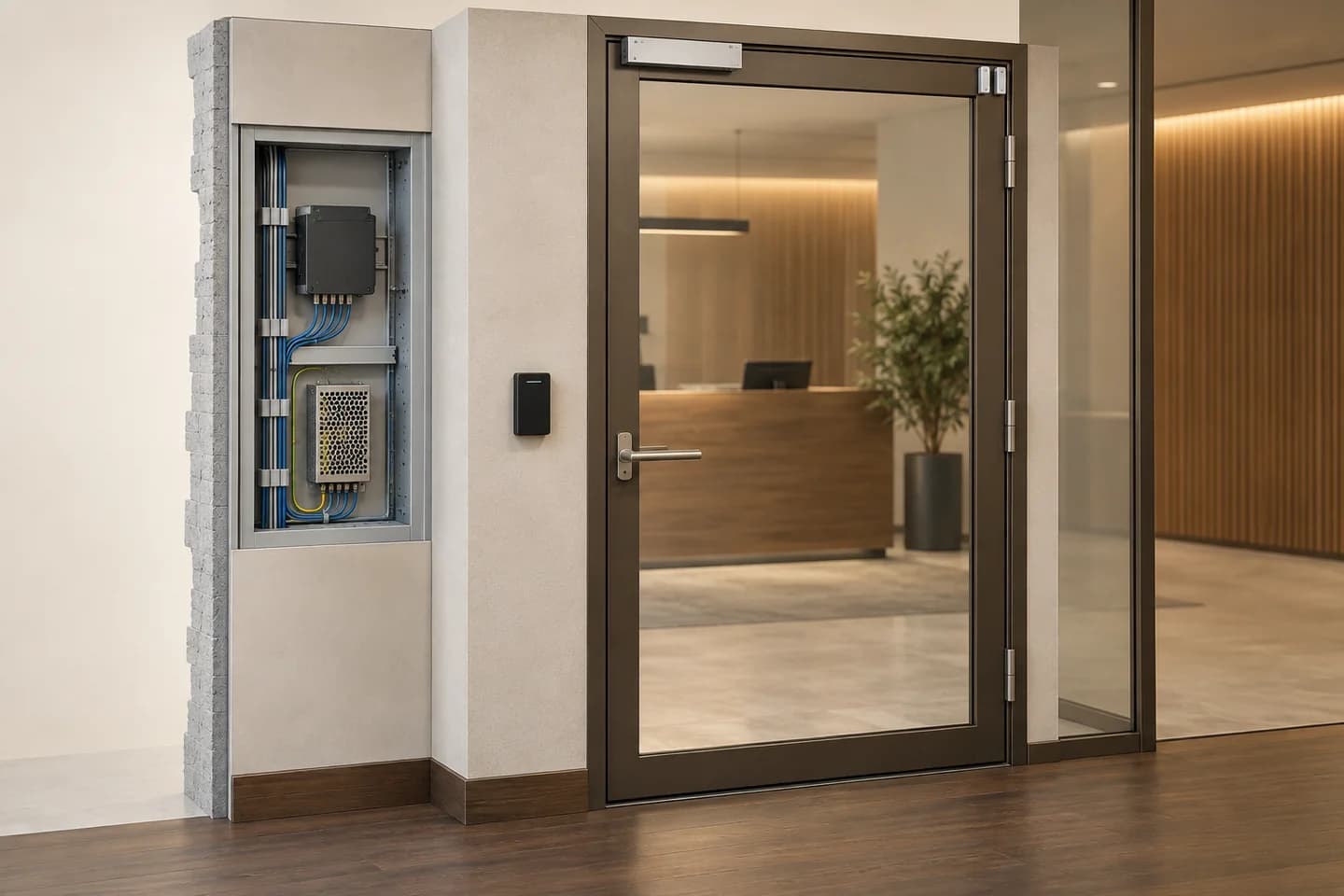
Prepare my site brief: worksheet and printable PDF
01
Describe people and entrances before credentials.
Number entrances on a plan, then describe who enters, exits and may admit a visitor. Distinguish staff, residents, contractors and temporary guests. Use fictional profiles in the commercial brief; real names, credential numbers and individual routines are not needed to choose an architecture.
The intended deliverable is a doors × profiles × permitted-periods table plus responses to abnormal situations. Identify who grants and revokes rights and receives anomalies. Temporary access, intercom acceptance and manual commands should remain distinguishable in the eventual report.
02
Compare management models, not just front panels.
Scroll the table horizontally to compare all three columns.
| Approach | Decision question | Evidence to request |
|---|---|---|
| Local entrance management | Who changes rights onsite and how is configuration recovered? | Exact-model procedure; do not assume remote management. |
| Central management | Which entrances share profiles, schedules and operators? | Licences, limits, rights storage and disconnected-controller behaviour. |
| Local or server-based intercom | Which endpoint receives the call and which device receives the release command? | Call path, media and command method tested together; SIP alone is insufficient. |
| Remote function or external service | Who owns the account and what remains without the service? | Confirmed dependencies, any subscription and access rules; no assumed offline promise. |
03
Complete five essential fields for each door.
Mechanics and use
Record material, leaves, direction, current condition and known use frequency. Provide authorised photos without keys or codes. Electrical compatibility does not establish mechanical suitability; validate mounting, closing and accessibility constraints before selection.
Reader and connection
Record credential type, reader/controller interface and documented versions. OSDP supports bidirectional communication and Secure Channel; a datasheet mention proves neither activation nor a verified pairing. Request configuration and testing of the exact combination.
Power and command
Separate controller, reader and lock power. Confirm voltages, loads, interfaces and accessories in matching manuals, not another model’s diagram. The designer specifies protection, backup and power-loss behaviour; this guide does not choose locking on their behalf.
State and anomaly
State what is actually measured: door position, lock status if available, fault or exit request. A sent command is not proof of passage. Alert delays and recipients are project decisions, not universal values.
Egress and safety
Have the responsible professional identify applicable requirements. Egress, emergencies and fire-safety interfaces require separate validation. Do not bypass safeguards or trap people to demonstrate denied access.
04
Test temporary permission without confusing outcomes.
ILLUSTRATIVE EXAMPLE
Fictional bench test: door P-01, reader R-01 and guest T-03 allowed from 09:00 inclusive to 11:00 exclusive. Test clock and timezone are fixed. No real credential, person or occupied doorway is involved.
10:00: permission
T-03 is recognised and allowed on P-01 only. The log distinguishes granted decision, sent command and the intended sensor’s observation. Missing observation leaves passage unconfirmed even if software shows the command.
11:00: expected denial
Permission has expired: no release command is expected. A refused intercom call should not issue one either. Also test another unassigned door to check that the profile has not received excessive permissions.
Revoke and check propagation
In a new pre-expiry test, revoke the right and check the affected controller. If disconnected, revocation is awaiting verification, not confirmed everywhere. Follow the defined operating procedure and retain this state in the report.
Example criteria, not an implemented access system. Emergency procedures must not be tested on exposed people and remain under competent professional responsibility.
05
Request usable handover, not just a working badge.
Plan and equipment list
Keep door IDs aligned across plans, references and tests. Separate new equipment, reuse, accessories and unknowns. The distributor can examine documented references, not infer compliant entrances from a product list.
Rights and operation
Document administrative roles, creation, expiry and revocation. Include versions, available backups and agreed recovery method. Transfer secrets separately; shared quotations must contain no usable credential list.
Tests and outstanding issues
For each entrance record tested functions, conditions and limits. Untested functions remain unverified. Separate configuration fixes, mechanical issues and missing supplier evidence so each follow-up has the right owner.
06
What documentation alone cannot establish.
Readers with the same shape are not automatically interchangeable. A range-level function may depend on model, licence or software. Record each source version and request validation of the entire scenario, including denial, failures and revocation.
Neither this guide nor cited foreign sources constitute regulatory approval in Morocco. Safety, accessibility and data-protection requirements belong with competent owners. Do not add biometrics, call recording or unlimited event retention without examining the need and applicable framework.
07
Questions to settle in the brief.
Does an intercom replace access control?
It can help admit visitors, but profiles, schedules, revocation and feedback still need definition. A release button is not a complete access policy.
Can existing credentials be retained?
Request documented characteristics and operator authorisation. Verify reading and needed functions with the exact pairing. Appearance, frequency or brand alone does not establish reuse.
Is revocation always immediate?
It depends on rights distribution and communications. Define expected delay and its verification, including offline controllers. A console delete action does not prove application at every entrance.
Who specifies power-loss behaviour?
The responsible designer, considering the entrance and site requirements. Document the expected result rather than selecting from a marketing phrase. Do not alter an existing exit based solely on this guide.
Does the quotation brief need real users?
No: provide unnamed profiles, quantities and operating periods. Operational data belongs in a later authorised process. The planning brief should support selection without exposing building access.
Technical sources
External reading references. These documents explain principles; they do not certify catalogue products or their combination.
- Open Supervised Device Protocol — Overview and Secure ChannelSecurity Industry Association · Sources consulted on
- AXIS A1210 Network Door Controller — User manualAxis Communications · Sources consulted on
- SIP — An introductionAxis Communications · Sources consulted on