
01
The right starting point is not a product list.
Start with the moments that matter: staff opening, customer arrival, delivery, closing and technical work. For each, note the people, devices used and what must continue during an outage. This separates essential requirements from convenience options.
For video views, state the expected result at each location: an overview and entrance detail are not interchangeable. Site conditions guide selection. Keep unresolved checks on the plan rather than claiming coverage or performance without assessment.
02
One shop, five technical briefs.
Scroll the table horizontally to compare all three columns.
| Zone | Requirement to describe | Information to provide |
|---|---|---|
| Entrance and storefront | Useful view, reception and staff access without unnecessarily recording neighbouring areas. | Orientation, light, opening times, door type, mounting surface and area boundaries. |
| Counter | Terminal connections, viewing workstation and equipment requiring continuity. | Ports and outlets required by suppliers, device positions and maintenance access. |
| Sales floor | Music zones, displays, network coverage to assess and circulation to observe. | Furniture, ceilings, reflective surfaces, AV sources and controls available to staff. |
| Stockroom and deliveries | Access rights, circulation review and the contact for an event. | Users, delivery times, doors, environment and authorised recipients. |
| Technical area | Organise and identify networking, recording and power equipment. | Dimensions, ventilation, power, cable routes and the person responsible for operation. |
03
A brief that avoids repeated clarification.
Annotated plan and useful photos
Identify zones, known dimensions, technical points and possible routes. Remove faces, visible documents, passwords and payment data from attachments.
Existing-equipment inventory
Record model, version, condition, owner and administrator access for each retained device. A device on site is not necessarily accessible or compatible with an extension.
Uses and responsibilities
Distinguish staff, contractors, customers and administrators. Describe required permissions without sharing real credentials. Decide who receives fault reports and who can change settings.
Phasing and business constraints
Record working windows, target date and areas that must stay open. Separate initial needs, planned expansion and options to compare equivalent proposals.
Equipment list and acceptance checks
One row per reference, quantity and zone; keep alternatives labelled. Add requested tests, identification plans and documents to hand over to the operator.
04
Illustrative refurbishment: keeping the shop operational.
ILLUSTRATIVE EXAMPLE
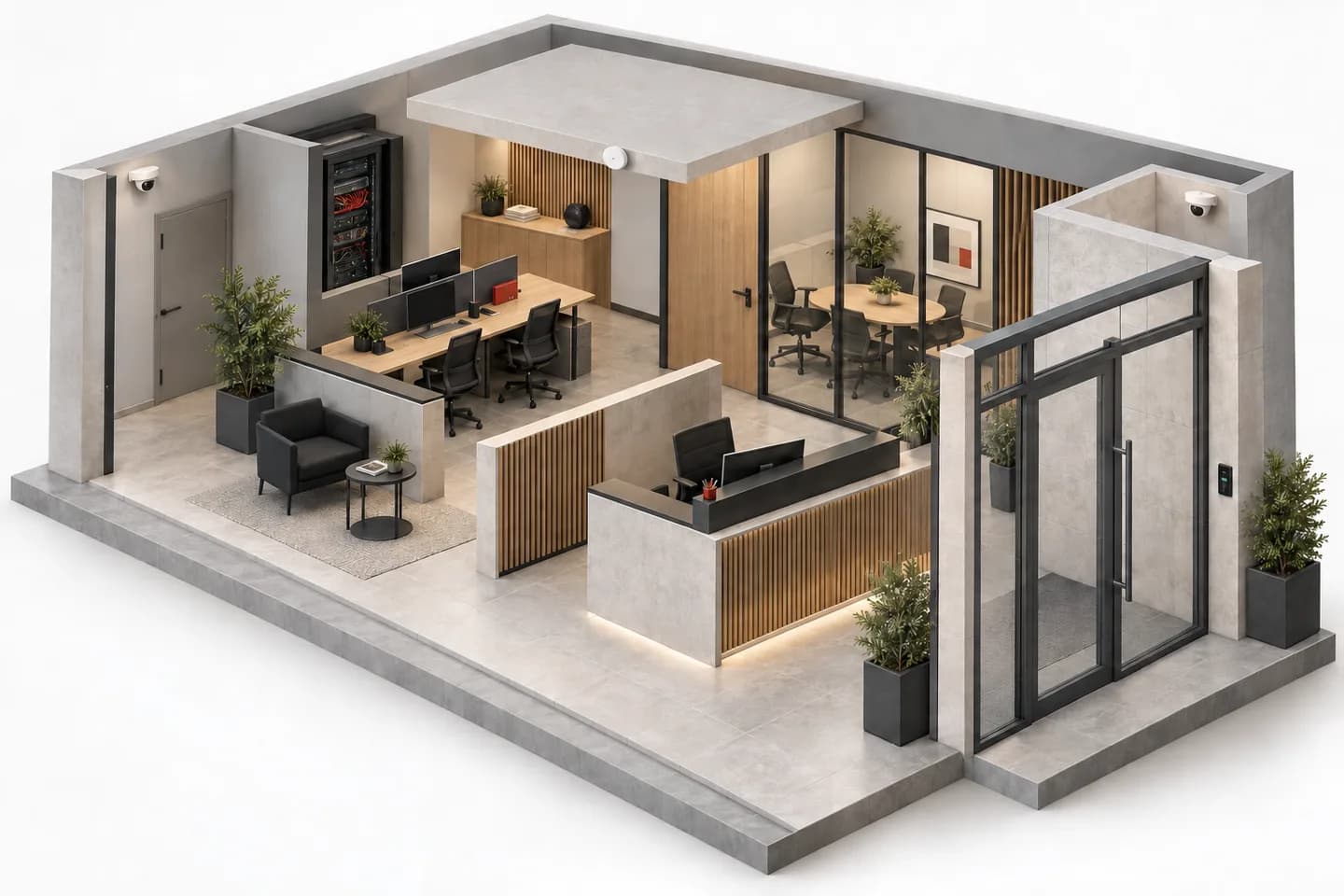
Fictional shop with a stockroom and counter. The owner wants to review video and networking without assuming existing equipment compatibility.
Before selection
Survey references and links; separate documented, tested and unknown items. Have the terminal provider confirm interfaces and connection conditions.
During preparation
Create a list per zone, define acceptable interruptions and agree a fallback. Include installation accessories and labelling, not only visible devices.
At handover
Test agreed functions, deliver diagrams and account roles, then record remaining issues. A quotation enquiry is not site acceptance or a stock commitment.
Not a client project or a promise of uninterrupted operation. The installer confirms method, safety, schedule and tests for the actual site.
05
Keep responsibilities distinct.
A video installation also needs an appropriate usage framework. In Morocco, consult CNDP and clarify requirements for the premises and intended processing. A placement example is not permission to record employees or customers.
Background sound, fire detection and evacuation systems serve distinct purposes. Do not infer a safety function from a general-purpose speaker or controller. Likewise, select a UPS against documented loads and needs: no universal runtime is promised here.
06
Before you send us your project.
I know the need, not the references. What should I send?
A plan, zones, priority uses and available inventory are enough to frame an initial question. Mark unknowns. Do not pick a random reference just to fill a row.
Is Inovexia my shop’s installer?
Inovexia is presented here as a distributor and B2B platform. The “Installation by WEXON” link directs integration enquiries. Installation, design and follow-up scope must be defined in the relevant proposal.
Can I request a lower-cost alternative?
Yes: identify essential functions and optional ones. Compare complete scopes; accessories, storage, licences and works should not silently disappear from an alternative.
Are pricing and availability public?
The catalogue is public. Assigned prices require an approved professional account; unvalidated data remains on quotation or availability to confirm. Purchases are not concluded on the site.
Technical sources
External reading references. These documents explain principles; they do not certify catalogue products or their combination.
- Quality with a purposeAxis Communications · Sources consulted on
- VidéosurveillanceCNDP — Maroc · Sources consulted on