
Prepare my site brief: worksheet and printable PDF
01
Describe a working day before counting detectors.
Who opens the premises? Does a team stay after public closing? Do the stockroom and sales floor share working hours? Mark these uses on a plan with permitted routes and responsible people. A mode named ‘Night’ is useful only when everyone knows where occupants may still move.
Separate three expected outcomes: detecting an event, notifying the right person and following a response procedure. A phone notification proves neither operator attendance nor intervention. State what your organisation provides and what needs a separate agreement; avoid implied promises in the equipment list.
02
From monitored point to recipient.
Roles to document, not a wiring diagram. Distinguish detection points from groups you want to operate separately; confirm support on the exact panel.
01 · Detection
Name each point by location and need: opening contact, presence detection or another documented function. Keep the same identifier on plan and quotation.
02 · Processing and control
Identify the proposed panel, expanders and keypads. Link each control to a user and scope without including secret codes in the brief.
03 · Signalling
List required local warning devices and proposed locations for assessment. Ask how normal states, events and faults will be presented to the operator.
04 · Transmission and operation
State who receives what, through which channel and with which follow-up procedure. Record dependencies to check: power, network, any subscription and handed-over accounts.
03
Four decisions to make with the installer.
A brand name does not validate a combination. The manufacturer documents non-interchangeable wireless generations: retain full references and versions.
Scroll the table horizontally to compare all three columns.
| Decision | Project question | Evidence to request |
|---|---|---|
| Wired, wireless or mixed | Which routes exist and which finishes must be preserved? | Site survey, compatible references and link-check results, not theoretical range alone. |
| Whole-site or partial monitoring | Which spaces remain occupied while the rest is monitored? | Mode table listing affected points, control permissions and a test for each use. |
| Local or remote alert | Who can actually handle events at the relevant times? | Recipients, channels, dependencies and a receipt test. Do not equate message delivery with intervention. |
| Retain or replace | Which references and versions are actually installed? | Verified inventory and a decision per device. Quote separately for items whose reuse is uncertain. |
04
Planning example: closing a shop.
ILLUSTRATIVE EXAMPLE
Fictional scenario: a sales floor, stockroom and office occupied later. No device count or protection level is prescribed.
Define the exception
The manager marks the occupied office and exit route on the plan. The installer checks whether the system can represent this arrangement without an ambiguous mode.
Specify the expected result
For an authorised test at a named point, write the expected label, indication and recipient. Also define the result when testing the still-occupied space.
Test and record
Have the professional organise a controlled test with recipients informed. Compare point, mode, message and receipt; record discrepancies and corrections before handover.
This scenario defines a brief and test criteria, not an arming procedure. It replaces neither risk assessment nor the installed system’s instructions.
05
A brief that enables a quote without guesswork.
Plan and occupancy
Named rooms, entrances, hours, animals and planned changes. Share only useful, authorised information.
Point and mode table
One identifier per point; for each required mode, identify occupied areas and the control owner. Technical implementation still needs validation.
Inventory and infrastructure
Legible label photos, known versions, routes and available power. Flag missing data rather than copying a neighbouring reference.
Transmission and receipt
Recipients by time period, intended channel, subscription constraints and test contact. Do not attach passwords or confidential codes.
Handover and follow-up
Request the final references, labels, test results and follow-up responsibilities. Any maintenance option needs a defined, priced scope; it cannot be inferred from a kit.
06
Intrusion, access and fire: keep states distinct.
A closed door does not establish that monitoring is active; an accepted credential does not establish that the system is disarmed. For coordination, specify the event, decision authority and expected confirmation. Validate the interface and fault behaviour rather than assuming changes to security functions.
Fire detection has its own brief and responsibilities. Do not transfer the shop-closing scenario to its operation. Inovexia supports equipment enquiries; this page promises no regulatory design, monitoring attendance or alarm response.
UNDERSTAND THE SYSTEMS / FICTIONAL EXAMPLE
One place. Two separate systems.
Compare an entrance event with a fire event. Then change occupancy: the fire result remains present.
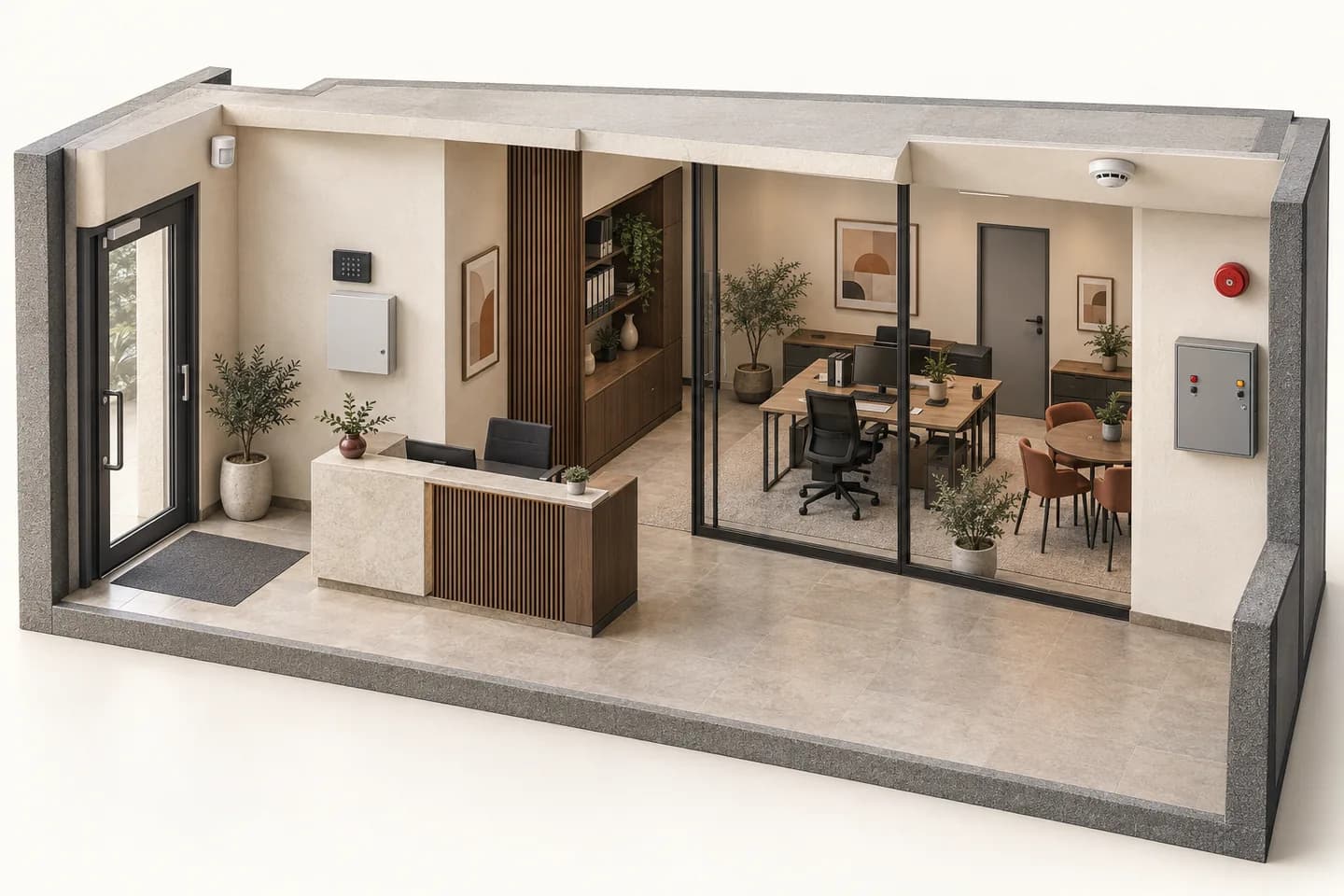
Example assumption: entrance contact P-01 is monitored for intrusion only while the premises are closed. This teaching choice is not a site configuration to reproduce.
Intrusion
Contact P-01 → intrusion panel → planned indication
Example intrusion modeP-01 not monitored for intrusion
Fire detection
Zone Z-01 → dedicated fire panel → specified warning devices
Changing occupancy does not reset fire detection. The previous P-01 test remains a past event, not confirmation of the new state.
Example intrusion mode: P-01 not monitored for intrusion. Last P-01 test: No test run. Fire detection: No simulated event.
This button clears only this simulation. It describes no procedure for resetting, acknowledging or disabling equipment.
No real equipment, call, sound or message. Project functions, interfaces and procedures need competent assessment and validation; this scene does not prescribe them.
07
Before sending your enquiry.
What should be reported if unexplained alerts repeat?
Record the named point, time, active mode and observed circumstances without sharing access codes. Send this information to the professional responsible for diagnosis. No visible cause is not a reason to bypass monitoring.
Does a larger panel solve every requirement?
No. Compare points, operating groups, interfaces, power and use. Advertised capacity does not replace checking required extensions and support for your scenarios.
Can I simply replace the keypad?
Record panel, keypad, version and connection. Confirm the exact combination before purchasing, including essential functions. Similar appearance is not evidence.
Is a subscription included?
Do not assume so. Have any services, account holders and scope stated in the offer. The catalogue is not a transmission or monitoring contract.
How do I request a quotation?
Prepare this brief and candidate references, then use a project with your approved professional account. Prices are those assigned to the account; requesting a quote does not accept an online order.
Technical sources
External reading references. These documents explain principles; they do not certify catalogue products or their combination.
- Eclipse32 — Intruder alarm panelTeletek Electronics · Sources consulted on
- FAQ — Intruder systemsTeletek Electronics · Sources consulted on